Marvel Tōkon Execution Guide: Leverless Tricks and Magneto Stray Conversions
Optimize your Marvel Tōkon: Fighting Souls execution with leverless controller shortcuts for Storm and mid-screen conversion tricks for Magneto.
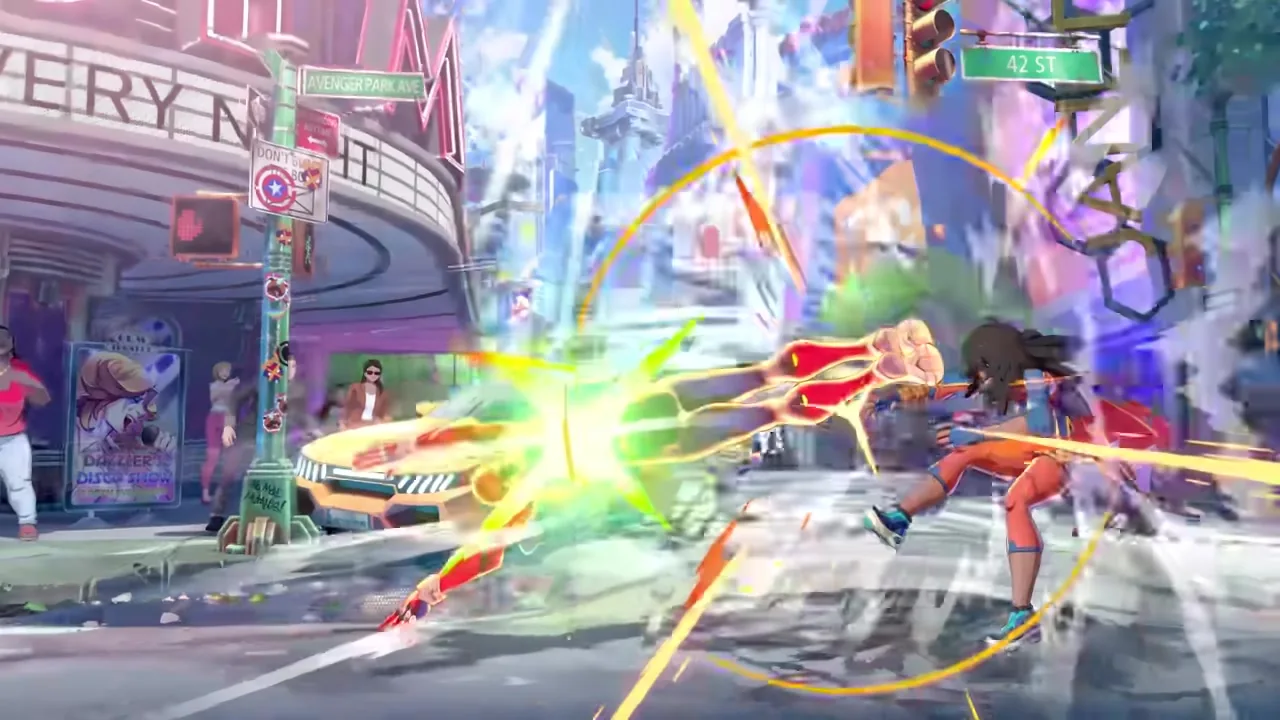
It has been exactly one month since Arc System Works and PlayStation Studios unleashed MARVEL Tōkon: Fighting Souls onto the world, and the competitive landscape is already evolving at a terrifying pace. The 4v4 tag team mechanics have proven to be as deep as they are visually chaotic, pushing players to optimize every single frame of their play. In a fighting game that operates at this blisteringly fast anime speed, raw strategy is completely useless if your hands cannot execute the plan.
As the initial launch dust settles, the community is moving away from basic tactical overviews and focusing heavily on micro-optimizations. Hitting the lab has become less about discovering broad team synergies and more about refining mechanical execution to an absolute science. Today, we are breaking down two critical areas of high-level play that have recently surfaced in the competitive sphere: optimizing physical inputs on leverless controllers for specific Ultimate Skills, and capitalizing on the chaotic neutral game with highly optimized mid-screen conversions.
The Leverless Meta and Input Shortcuts
The fighting game community has seen a massive paradigm shift toward leverless controllers (such as the Hit Box) over the last few years, and MARVEL Tōkon: Fighting Souls is no exception. Because the game demands constant movement, instant airdashes, and precise assist calls via the Assemble Gauge, the ergonomic advantages of having dedicated buttons for every directional input cannot be overstated. If you are curious about optimizing your physical hardware for the game, checking out our controls and setup overview is highly recommended.
However, leverless controllers offer more than just clean movement; they allow for specific input shortcuts that simply are not physically possible on a traditional arcade stick or console pad. These shortcuts take advantage of how the game’s input parser reads directional commands, allowing players to shave crucial frames off their startup animations. When you are trying to punish a whiffed heavy attack or secure a reversal under heavy pressure, a three-frame difference is massive.
Storm’s “Eye of the Storm” Hit Box Technique
A perfect example of this mechanical optimization was recently highlighted by the official HitBoxArcade team, focusing on a unique input method for Storm. As one of the core members of the Unbreakable X-Men, Storm relies heavily on her screen-controlling tools and her devastating Ultimate Skill, “Eye of the Storm.”
Executing this super traditionally requires a Half-Circle Back motion followed by a forward input and the attack button, which consumes your hard-earned Skill Gauge. On a standard stick, rolling that half-circle takes time. On a leverless controller, players have discovered a highly efficient two-handed shortcut that practically guarantees an instant activation.
The technique works by dividing the labor between both hands. Instead of tapping each directional button individually for the half-circle, you physically slide your left fingers across the cardinal direction buttons to register the Half-Circle Back input in one fluid, nearly instantaneous motion. Immediately after the slide completes, your right hand takes over, pressing the Forward directional button simultaneously with the Throw macro.
This specific combination bypasses the usual friction of complex inputs. By offloading the final directional input (Forward) to the right hand along with the action buttons, your left hand does not have to awkwardly snap back from the reverse direction. This results in an activation that is significantly faster and less prone to execution errors under tournament nerves. For Storm players who need to react to an opponent recklessly calling an assist, mastering this shortcut ensures your Ultimate Skill comes out exactly when the window of opportunity opens.
The Art of the “Trash Conversion”
While flawless inputs are vital for your supers, your moment-to-moment gameplay relies on how well you can confirm random hits in the neutral game. In MARVEL Tōkon, players operate with a shared Vital Gauge for their entire four-character team. This system fundamentally alters the risk/reward calculus of fighting games. Because every character shares the same health pool, taking any amount of damage is a direct penalty to your entire squad’s survivability. There are no low-health anchors to save you; damage is permanent across the board.
Because of this shared Vital Gauge, the concept of the “trash conversion” has become a central focus for high-level lab monsters. A trash conversion refers to the ability to recognize a highly scaled, awkward, or unintended hit—often colloquially called a “trash hit”—and manually convert it into a full, optimal combo rather than letting the opponent drop out of hitstun. If you are still struggling with confirming basic hits, revisiting your combo basics is a mandatory first step before attempting these dynamic pickups.
Magneto’s Mid-Screen Doomer BnBs
The undisputed king of these mid-screen trash conversions right now is Magneto. Playing a pivotal role in the villainous Knights of Doom faction, Magneto’s kit is designed to suffocate the opponent from mid-to-long range. His heavy projectiles and far-reaching kinetic normals create a dense minefield of hitboxes.
Recently, competitive player SaishuuKessen shared a comprehensive breakdown of what the community is calling “Doomer BnBs.” These are specialized Bread and Butter combos specifically engineered to pick up off of Magneto’s most awkward stray hits in the middle of the screen.
When you throw out a fast, long-reaching normal to check the opponent’s dash, you often catch them at the very tip of the attack’s active frames. Traditionally, confirming this into a launcher requires an immediate dash-cancel or spending Skill Gauge. However, the new Doomer routes rely heavily on utilizing the Assemble Gauge instead. By calling in an assist at the exact moment the stray hit connects, Magneto players can lock the opponent in blockstun (if they blocked) or extend the hitstun just long enough for Magneto to close the gap and start his true combo string.
What makes these conversions so potent is their efficiency. They do not waste precious Skill Gauge for EX moves just to secure the pickup. Instead, they leverage the rapidly refilling Assemble Gauge, allowing Magneto to convert a lucky mid-screen poke into a wall-carry sequence that chunks the enemy team’s shared Vital Gauge while simultaneously building your own Skill Gauge for future Ultimate Skills. Hitting the lab and practicing these specific conversion timings—setting the training dummy to random block and attempting to hit-confirm off the very tip of your farthest reaching attacks—is what will separate competent Magneto players from terrifying ones.
Technical Corner: High-End Hardware Quirks
While the competitive meta evolves, it is worth noting that some players are still battling technical execution issues outside of the game itself. Despite the flurry of post-launch patches from Arc System Works aimed at stabilizing the PC port on Steam and the Epic Games Store, incredibly specific hardware combinations are still causing headaches.
Community reports have recently surfaced regarding severe crashes occurring strictly at the team selection screen. Interestingly, this does not appear to be an issue with low-end rigs struggling to render the anime visuals. Instead, players utilizing cutting-edge hardware—specifically laptops equipped with Intel i9 processors and the newly released RTX 5090 mobile GPUs—are completely unable to progress past character selection.
This suggests that the game’s engine may be mishandling the power allocation or driver instructions specific to the absolute newest tier of mobile graphics cards. If you are running an enthusiast-grade laptop and experiencing these exact team selection crashes, you are not alone. Until an official hotfix addresses this peculiar edge case, the community recommends running the game in windowed borderless mode and verifying your Steam file integrity, though these workarounds have yielded mixed results.
Final Thoughts
As MARVEL Tōkon: Fighting Souls moves deeper into its lifecycle, the players who consistently win will be the ones who sweat the small stuff. Whether it is retraining your muscle memory to utilize left-to-right hand input shortcuts on a Hit Box for Storm, or spending hours in training mode mastering Magneto’s awkward mid-screen pickups, finding these tiny advantages is the core of fighting game progression. The 4v4 battlefield is chaotic, but with perfect execution, you can bend that chaos entirely to your will.